
Grok CLI meters a weekly usage pool. When it runs out mid-task you get a retry warning, and unless you were staring at the terminal you find out late. Three ways to stay ahead:
Connect it, step by step
Step 1 · Install Agent Island
macOS — Homebrew, or grab the DMG from the latest release:
brew install tristan666666/tap/agentislandStep 2 · Make sure Grok is signed in
An existing grok CLI login is all it needs — Agent Island reads the CLI's local session records and the same billing endpoint the CLI uses.
grokStep 3 · Check Providers
Open Settings → Providers. A provider with no detected local sign-in gets no slot and no row; one you hid earlier is re-enabled here. Five data sources can be on while the island keeps two focused top-bar slots.
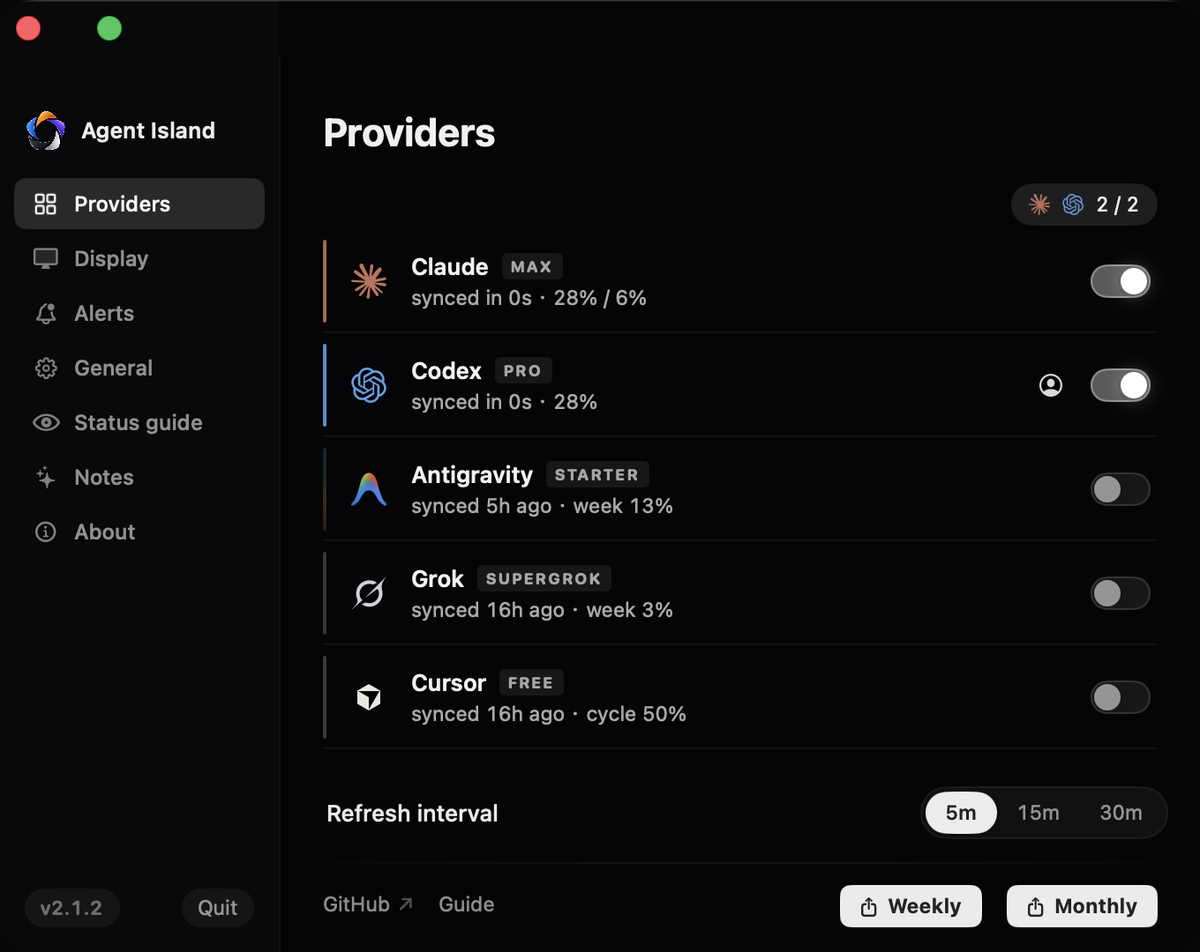
Step 4 · Read it on the island
Grok carries the weekly pool percentage with a reset countdown, plus monthly spend. Because Grok writes an explicit turn-completed event, the island also shows a live working / stalled / your-turn state.

Step 5 · Verify with one real run
Start one Grok run and walk away. When the turn completes, the island flips to your-turn — that flip is the native event arriving.
If it does not work
No detected grok CLI login means no row. Sign in once with the CLI, then let one refresh cycle pass.
The number comes from the CLI's own billing endpoint; check the sync age shown beside it rather than assuming freshness.
1. Inside the CLI
Grok CLI prints usage warnings as you approach limits, and the xAI console shows your plan and billing. Both are accurate; neither is ambient — you have to go look.
2. The xAI console
Your xAI account console is authoritative for plan, billing, and monthly spend. It does not show live session state on your machine.
FAQ
Can I get notified when a Grok CLI run finishes?
Yes. Grok CLI writes a turn-completed event to its local session log, and Agent Island turns that into a your-turn alert with an optional sound.
Where does the usage number come from?
From the same billing endpoint the CLI itself uses, read with your existing local login. Agent Island never sees your password.
Does this work with SuperGrok plans?
Yes. The plan badge shows whatever tier your login carries, including SuperGrok.
Agent Island is open source (MIT). See the changelog, the comparison hub, or the product FAQ.