

Codex can keep working long after you have looked away. This guide sets up a single alert that fires when a Codex turn actually ends, and explains the freshness rule that keeps it from crying wolf.
Before you start
- Codex CLI installed and run at least once on this machine
- Permission to install software (Homebrew on macOS, WinGet on Windows)
1. Install Agent Island
macOS:
brew install tristan666666/tap/agentislandWindows:
winget install TristanTang.AgentIsland2. Allow notifications once
Accept the permission prompt on first launch, or re-enable it later in System Settings → Notifications → Agent Island on macOS, Settings → System → Notifications on Windows.
3. Confirm the Codex provider is enabled
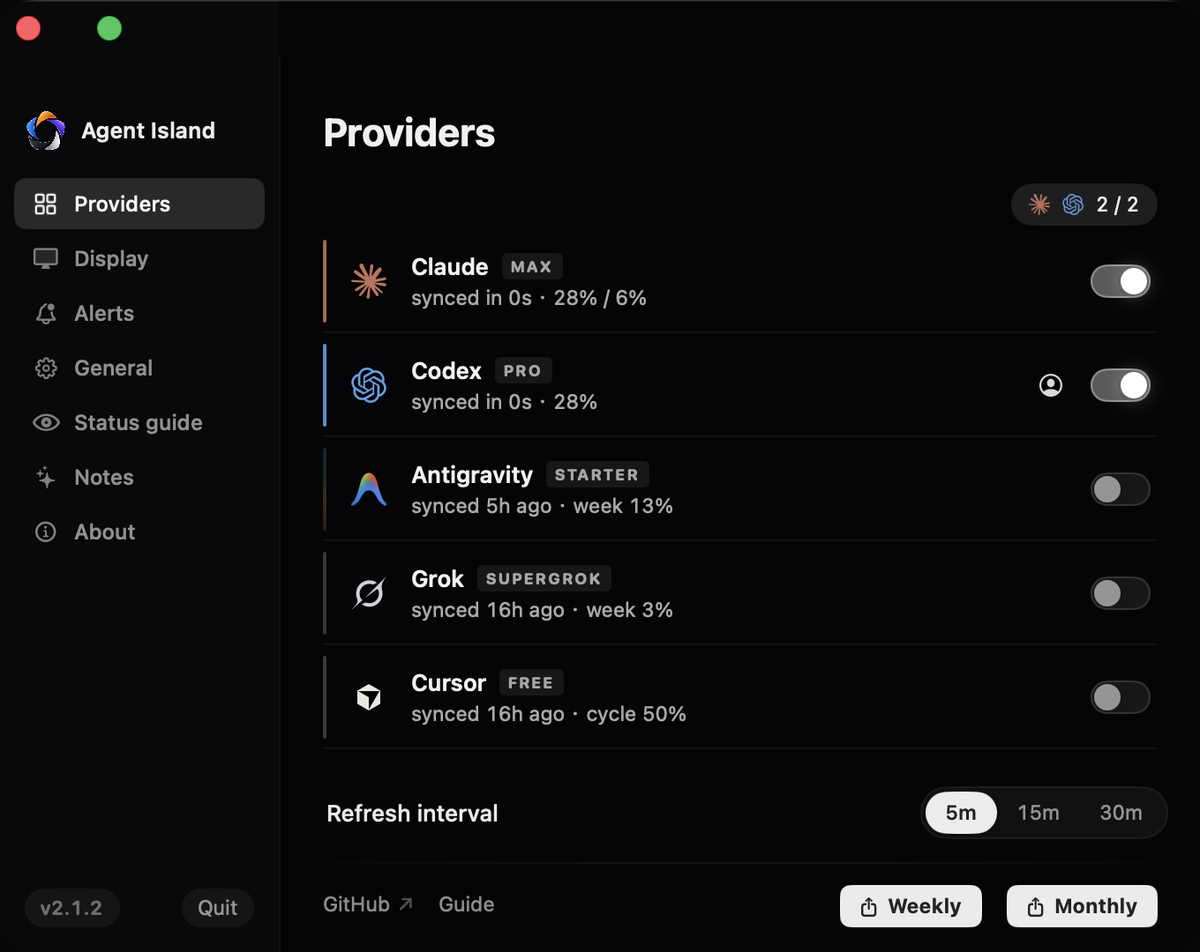
Open Settings → Providers. Codex needs a compatible local sign-in — no detected login means no slot and no row. This is also where a provider you hid earlier gets re-enabled.
4. Run Codex from any terminal
No wrapper and no flags. Agent Island reads what Codex already writes under ~/.codex/sessions, using ~/.codex/session_index.jsonl to keep sessions distinct. Archived records are deduplicated, so re-reading one never produces a second completion.
5. Leave the terminal and wait for a real ending
The alert requires a fresh terminal event in that session before it fires. That is the rule that separates a genuine handoff from a background step that merely looks like an ending, and it is why you can leave a long run unattended without getting pulled back three times.
6. Return with Open thread
Click Open thread to land back in the Codex session that finished, with its working directory context intact.
7. Read the weekly window, not a five-hour one
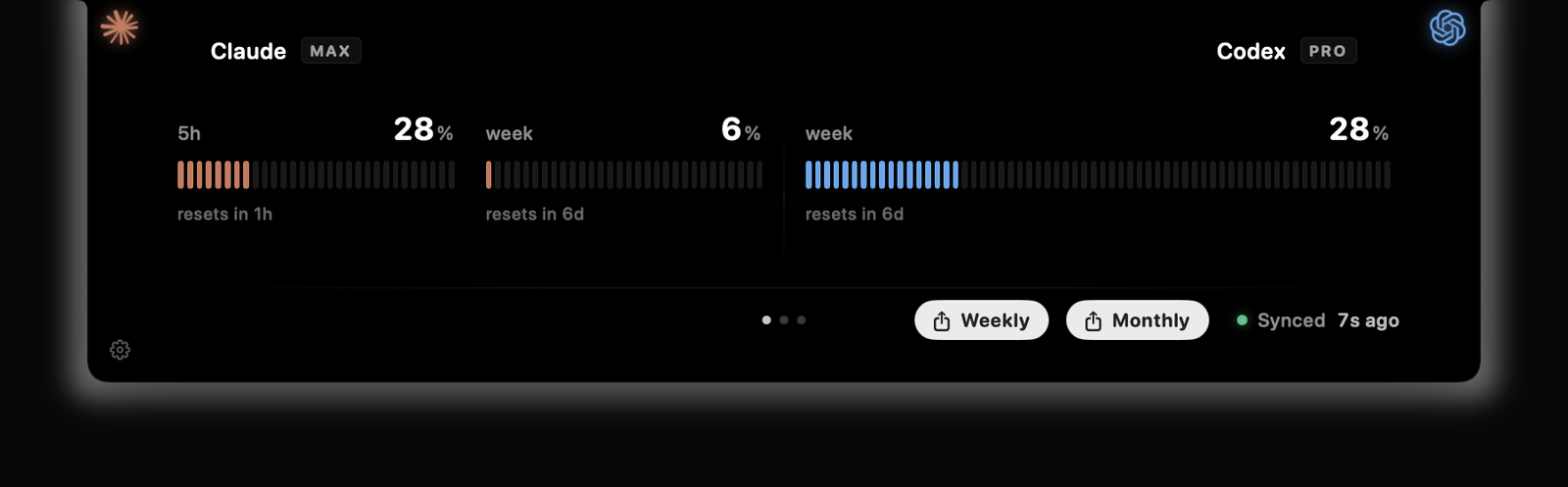
Codex exposes a weekly quota window. If you see a tool showing a five-hour Codex window, it is displaying a retired shape. The usage row here follows the provider's current one.
If it does not work
Check notification permission, then confirm the run is recent. A session idle past the attention window is treated as finished and stops alerting.
A tool step can resemble an ending. Report the session timestamp in an issue — this is tuned against real traces, not keywords.
Usually a replayed record. Restart to rebuild the index and note whether the session was resumed from an archive.
Concurrent sessions rank by recency; use the session label carried on the alert.
No detected Codex sign-in means no row. Sign in with the Codex CLI once, then let one refresh cycle pass.
For the event model behind this, read the Codex status monitor reference. The Claude equivalent is here.
← All guides