

Agent Island never asks you for a password. It reuses the sign-in each coding tool already has on your machine. This is what each one needs.
Before you start
- Agent Island installed
- A terminal you can run the coding tools from
1. Open the provider list
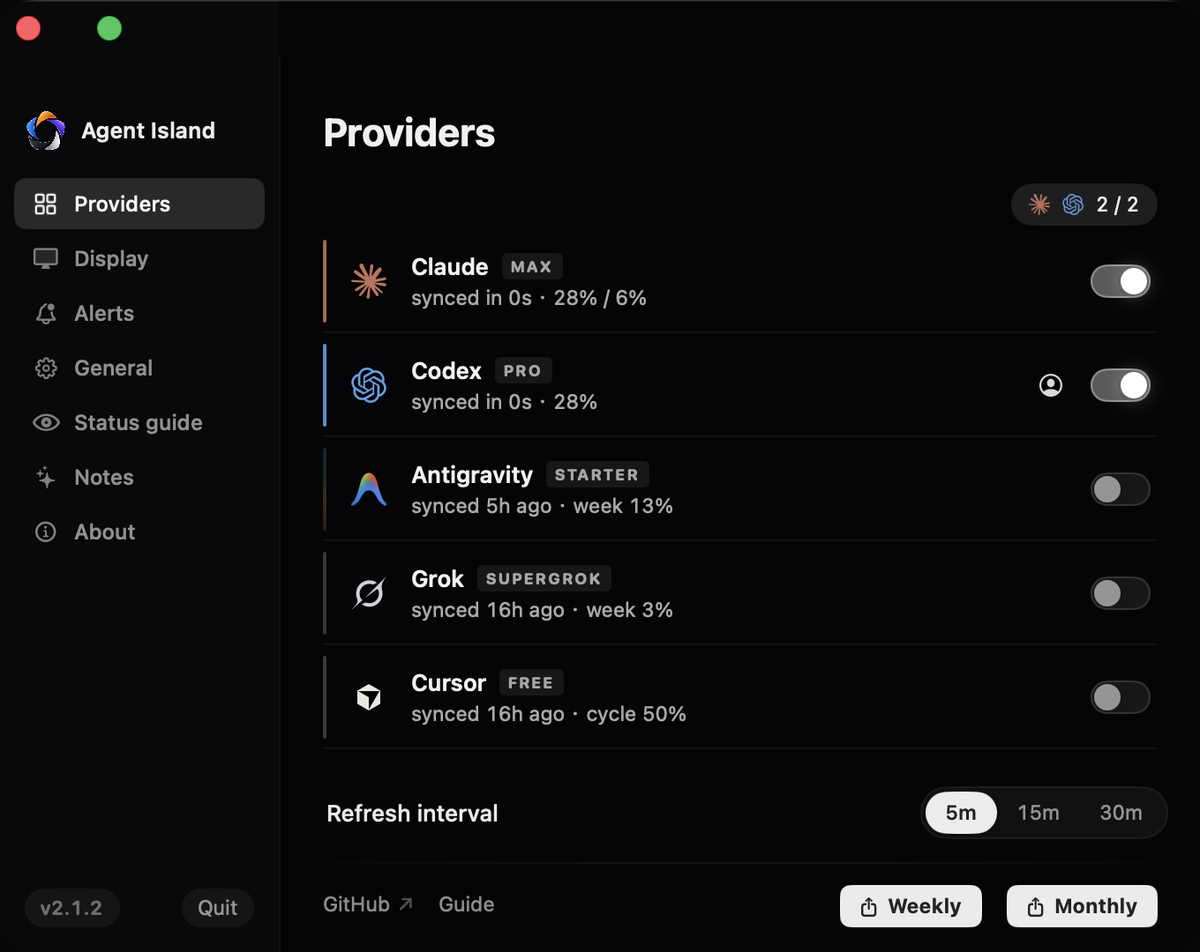
Go to Settings → Providers. Every provider you are signed in to appears here with its plan badge and last sync; the ones without a detected sign-in stay dark.
2. Claude Code
Sign in once with the CLI:
claude /loginAgent Island reads the freshest keychain entry automatically. If a row says auth required, this command is the fix — the usage endpoint needs the current scope set, which only a fresh login mints.
3. Codex
Sign in with the Codex CLI as you normally would. Codex exposes a weekly quota window — if a tool shows you a five-hour Codex window, it is displaying a shape that no longer exists.
4. Antigravity
Install the Antigravity CLI and sign in with Google:
agyQuota is read from Antigravity's local language server rather than a cloud endpoint. API-key and Vertex setups stay unsupported rather than showing invented numbers.
5. Grok and Cursor
Grok rides an existing grok CLI login. Cursor is read from its local installation records — since 2.1.2 it carries live session state and your-turn alarms as well as billing-cycle usage.
6. Pick your two island slots
Back in Settings → Providers, choose the two you want in the compact island. The others keep full rows in the expanded panel.
If it does not work
No detected sign-in. Run that tool's own login once, then wait a refresh cycle.
Run claude /login again. Older tokens lack a scope the usage endpoint now requires.
Confirm agy is installed and signed in. If your account cannot access the service, the CLI itself will say so.
Click the Synced caption in the panel footer to refresh now, or shorten the refresh interval.